Gracius Illustration Presentation: A Design Evaluation
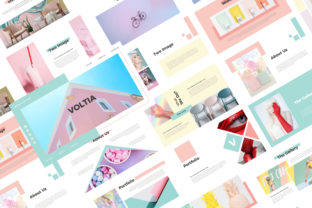
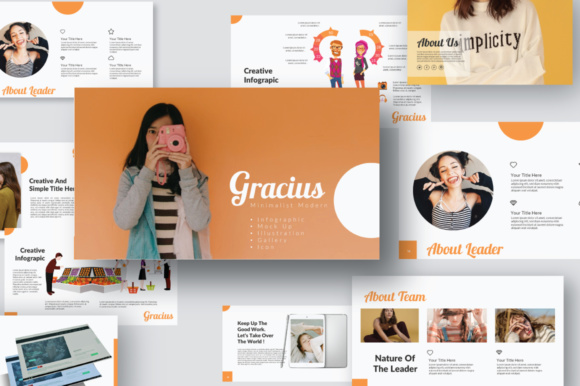
In the landscape of professional communication, the visual delivery of information is as critical as the content itself. The Gracius Illustration Presentation has emerged as a notable option for professionals seeking a balance between minimal aesthetics and functional depth. This template is characterized by an ultra-modern design philosophy, where each slide is constructed with a specific focus on typography, usability, and attention to detail. Unlike generic templates that often rely on cluttered layouts, Gracius adopts a monochrome color scheme combined with strategic illustration elements to create a distinct visual identity.
For individuals researching presentation tools, understanding the specific utility of Gracius is essential before integrating it into a workflow. It is positioned as a multipurpose PowerPoint template suitable for business pitches, corporate reports, portfolios, branding strategies, and advertising campaigns. With 90 slides included in the package, it offers a comprehensive library of layouts designed to handle diverse narrative structures without requiring users to start from scratch.
Core Design Philosophy and Structure
The defining characteristic of the Gracius Illustration Presentation is its commitment to minimalism. In design theory, minimalism is not merely about removing elements; it is about refining them until only the essential remains. Gracius applies this principle through a clean, modern layout that prioritizes readability. The use of vector-based icons and predefined text styles ensures that the visual hierarchy remains consistent across all slides. This consistency is crucial for maintaining audience engagement during long presentations.
A significant portion of the template's value lies in its structural foundation. Built upon master slides, Gracius allows for global changes to be applied instantly. If a user decides to adjust the font size or alignment of headers, the modification propagates throughout the entire deck. This feature saves considerable time during the editing phase and reduces the risk of formatting errors. Additionally, the inclusion of editable charts and media placeholders means that data visualization can be integrated seamlessly without breaking the design integrity.
Key Features and Functional Capabilities
Evaluating the technical specifications reveals several features that cater to both novice and experienced presenters. The template supports Full HD resolution, ensuring that graphics remain crisp on large screens and digital projectors. The "Drag and Drop Image" functionality simplifies the process of inserting custom photography, although it is important to note that the images used in preview materials are for illustration purposes only and are not included in the final download.
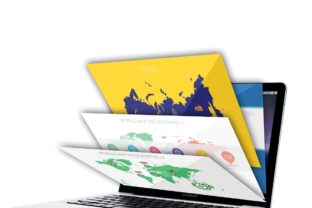
One of the more unique aspects of Gracius is its inclusion of specific infographic and mockup elements. Users will find unique mockup devices and a world map with separate areas, which are particularly useful for companies operating in multiple regions or showcasing product interfaces. The portfolio slides are designed to highlight work samples effectively, making the template a strong contender for creative professionals and agencies. Furthermore, the ability to change colors easily allows the template to adapt to different brand guidelines while maintaining its core aesthetic.
Benefits for Professional Presentations
The primary benefit of utilizing the Gracius Illustration Presentation is the reduction of design friction. By providing a professionally designed framework, it allows presenters to focus on their message rather than the mechanics of slide creation. The strong focus on typography enhances legibility, which is often overlooked in favor of flashy animations. In corporate environments where clarity is paramount, this approach can lead to better retention of information by the audience.
Additionally, the versatility of the 90-slide collection offers a wide range of options for structuring complex narratives. Whether the goal is to present financial data, introduce a new team member, or pitch a startup idea, there is likely a dedicated layout within the set that fits the requirement. The monochrome color combination provides a neutral backdrop that does not compete with the content, allowing the presenter's voice to take center stage.
Considerations and Tradeoffs
While Gracius offers significant advantages, potential users should consider certain tradeoffs. The minimalist design, while elegant, may feel too restrained for industries that require high-energy, colorful visuals, such as children's education or certain entertainment sectors. The reliance on a monochrome palette, even with easy color changing capabilities, requires a deliberate effort to ensure the final result aligns with vibrant brand identities.
Furthermore, the template includes placeholder images intended for illustration. Users must have access to their own high-quality photography or stock image subscriptions to fully realize the template's potential. Without appropriate imagery, the "drag and drop" feature may result in a sparse appearance. Additionally, while the vector-based icons are scalable, they are limited to the set provided. Custom iconography would need to be sourced externally and imported manually.
Situational Fit: When to Choose Gracius
The Gracius Illustration Presentation is an excellent fit for scenarios requiring a polished, serious, and modern aesthetic. It is particularly well-suited for:
- Corporate Reporting: Where clarity, data accuracy, and a professional tone are non-negotiable.
- Creative Portfolios: For designers and agencies needing to showcase work without the background distracting from the art.
- Brand Strategy Pitches: Where the presentation itself needs to reflect the modernity and precision of the proposed brand.
- Advertising Campaigns: Specifically those focusing on clean, impactful messaging and visual storytelling.
In these contexts, the template's attention to detail and structured layout provide a solid foundation for success.
When Alternatives May Be Preferable
There are situations where other solutions might serve better. If a presentation requires extensive animation, interactive elements, or a highly playful, cartoonish style, Gracius may not offer the necessary flexibility. Similarly, organizations with very strict, non-standard brand guidelines that deviate significantly from modern minimalism might find the template's underlying structure difficult to adapt without extensive customization.
For users who lack any familiarity with PowerPoint's advanced features, such as master slides or shape formatting, the learning curve to fully utilize Gracius could be steeper than using a simpler, pre-filled template. In cases where speed is the only metric and no design refinement is desired, a basic free template might suffice, though at the cost of professional polish.
Decision-Making Insights
Before committing to the Gracius Illustration Presentation, users should assess their specific content needs against the template's capabilities. Ask whether your content benefits from a clean, typographic-driven layout or if it requires heavy graphical overlays. Consider the source of your imagery; if you do not have high-resolution photos ready, the template's impact may be diminished.
Ultimately, the value of Gracius lies in its ability to elevate standard presentations into professional-grade deliverables. It bridges the gap between raw data and compelling storytelling through its unique blend of illustration and minimalism. For those willing to invest time in populating the placeholders with relevant content, it offers a robust tool for effective communication. However, for those seeking a quick, low-effort solution with little regard for design cohesion, the investment may not yield proportional returns.