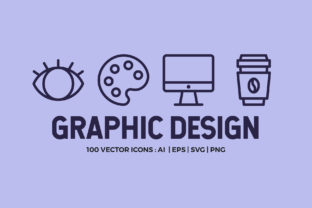
100 Graphic Design Line Icons: A Versatile Toolkit for Modern Designers
Designers today face a constant demand for clarity, efficiency, and visual consistency across a wide range of projects. Whether you're crafting a website, designing an app, or creating packaging, the right visual elements can make all the difference. The 100 Graphic Design Line Icons pack offers a minimalist, high-quality solution that adapts seamlessly to a variety of creative needs.
What Are 100 Graphic Design Line Icons?
The 100 Graphic Design Line Icons set is a curated collection of vector-based icons designed with precision and purpose. Each icon is crafted on a strict 48px grid system, ensuring pixel-perfect alignment and scalability. The pack includes icons relevant to branding, editorial design, packaging, animation, motion graphics, audio and video production, 3D modeling, typography, web design, file management, infographics, and app development.
Available in multiple formats—AI, EPS, SVG, and PNG—the set provides flexibility for both digital and print applications. With resolutions ranging from 48px to 268px, and high DPI settings (72dpi and 300dpi), these icons maintain quality across screen displays and printed materials.
Challenges Designers Face
Modern designers often juggle multiple platforms, tight deadlines, and the need for visual harmony. Icons are a critical component of user interfaces and branding materials, yet finding the right set that aligns with your project's tone and function can be time-consuming. Inconsistent icon styles, low-resolution graphics, or limited format compatibility can lead to frustration and delays.
Additionally, many designers struggle with customization. Off-the-shelf icon sets may not offer the flexibility to adjust stroke widths or colors to match brand guidelines. This is where the 100 Graphic Design Line Icons truly shine.
How 100 Graphic Design Line Icons Solve Real Problems
Designed with a minimalist aesthetic and built for adaptability, this icon set addresses the core needs of today’s creative professionals. Here's how:
- Consistency: All icons follow a uniform style and grid system, ensuring visual harmony across interfaces and documents.
- Customizability: The Live Stroke AI file and outlined versions allow for easy editing of line weights, colors, and shapes to align with brand identities.
- Scalability: Vector formats (AI, EPS, SVG) ensure icons remain sharp at any size, from mobile UIs to large-scale print projects.
- Multi-use Licensing: These icons can be used across websites, apps, packaging, and print materials, making them a valuable asset for freelancers and agencies alike.
Practical Applications Across Industries
The versatility of the 100 Graphic Design Line Icons makes them ideal for a wide range of applications. Here are a few real-world scenarios where this icon set proves invaluable:
Web and App Development
Icons are essential in UI/UX design for navigation, feature highlighting, and improving accessibility. With icons related to web design, files, and apps included, this set supports intuitive interface design. Developers and designers can quickly implement SVG or PNG icons into responsive layouts without worrying about pixelation or load time.
Branding and Marketing Materials
From social media assets to print brochures, consistent visual language strengthens brand identity. The branding and editorial-focused icons in this set help maintain a cohesive look across marketing collateral, presentations, and packaging design.
Motion Graphics and Animation
For motion designers, icons that scale cleanly and maintain clarity during transitions are crucial. The clean line work and vector-based format of these icons make them ideal for animation projects, explainer videos, and digital signage.
Infographics and Data Visualization
Infographics rely heavily on visual symbols to convey complex information clearly. The data and file-related icons included in this set help simplify explanations and enhance visual storytelling in reports, dashboards, and presentations.
Who Benefits Most from This Icon Set?
The 100 Graphic Design Line Icons cater to a broad audience of design professionals and businesses. Here’s how different users might approach the set:
- Freelance Designers: Can use the icons across multiple client projects, saving time and maintaining a professional look.
- Marketing Teams: Can quickly generate branded visuals for campaigns, social media, and presentations without needing custom icon design.
- Developers: Can easily integrate SVG icons into websites and apps, leveraging the clean vector format for performance and scalability.
- Print Designers: Can confidently use the high-resolution PNG and EPS files for brochures, packaging, and product labels.
Getting the Most from Your Icon Set
To maximize the value of the 100 Graphic Design Line Icons, consider these practical tips:
- Organize Your Files: Keep the AI, EPS, SVG, and PNG folders clearly labeled for quick access depending on the project needs.
- Create a Style Guide: Define how icons are used within your brand—color variations, spacing rules, and context of use.
- Customize Thoughtfully: Use the Live Stroke AI file to adjust stroke widths and colors, but maintain consistency across all icons used together.
- Test for Accessibility: Ensure icons are recognizable and, when used digitally, paired with text or ARIA labels for screen reader compatibility.
Conclusion
In a design landscape that demands speed, clarity, and consistency, the 100 Graphic Design Line Icons stand out as a reliable and adaptable resource. Whether you're building a website, designing an app interface, or preparing a print campaign, this icon set provides the tools you need to communicate effectively and professionally. With its clean aesthetic, comprehensive format support, and flexibility for customization, it’s a smart investment for any designer looking to streamline their workflow and elevate their visual communication.